
Snake II
| Splash screen | Gameplay |
|---|---|
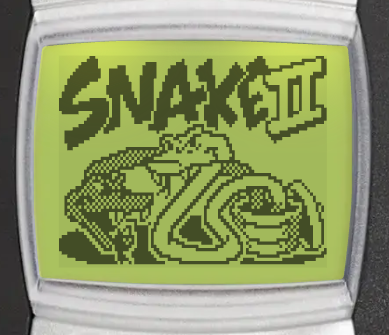 | 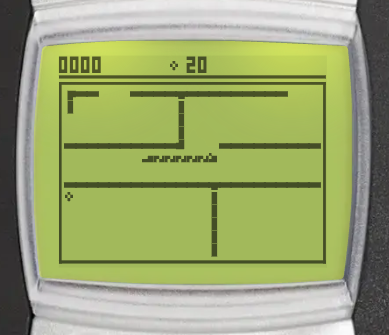 |
Snake II is the classic Nokia snake game. Guide the snake to the food to make it grow, and do not crash into your own tail or the walls. You can find it in Menu > Games > Snake II.
Goal
Make the snake grow longer by directing it to the food, without hitting its tail or the walls. The more food you eat, the higher your score.
Controls
Controls
 - move up
 - move down
 - move left
 - move right
 - turn counter-clockwise
 - turn clockwise
 /
/  - pause game
How to play
- The snake moves on its own. You cannot stop it or make it go backwards.
- The board has no edges: the snake leaves one side and comes back on the other. Mazes add walls that you must avoid.
- The game is over when the snake hits its own tail or a wall.
- After you continue or resume a game, the snake waits until you press a number key, or .
Scoring
- Each food scores more points at a higher speed: from 1 point at the slowest speed to 9 points at the fastest.
- After every 5 food, a bonus food appears for a short time. It scores 3 times the points of normal food. A countdown on the screen shows how long it stays.
Game modes
When you open Snake II, choose a mode: Daily maze, Classic or Campaign. Classic and Campaign have their own menu with Continue, New game, Level, Maze (Classic only), High scores and Instructions. Each mode keeps its own paused game.
Select Level to change the snake's speed. Press / to change it, then to save.
Classic
The endless game: eat as much food as you can until you crash.
Select Maze
Campaign
Travel through 8 mazes, starting with an empty board. Eat the number of food shown on the screen to move to the next maze. After the last maze, the campaign starts over from the first maze, a little faster, and with more food to eat.
Daily maze
One maze each day, the same for every player. It is played at a fixed speed, and the food appears in the same places for every player, unless your snake or a wall is in the way. Eat 20 food to clear the maze. You have one try each day. See Daily challenges for streaks and statistics.
Continue after game over
When you crash, you can continue from just before the crash, once per game. It is free for subscribers, other players watch a video ad. Continue is only available on Android and iOS.
High scores and achievements
Classic and Campaign each have their own leaderboard, ranked by best score. Select High scores in the mode's menu to open it (Android and iOS only). The daily maze has no leaderboard, but it counts towards the shared streak achievements.
You can also unlock achievements by beating a best score of 50, 200, 500 and 1000 points in Classic or Campaign.