Use a Free AI Video Generator to Make App Store Demo Videos
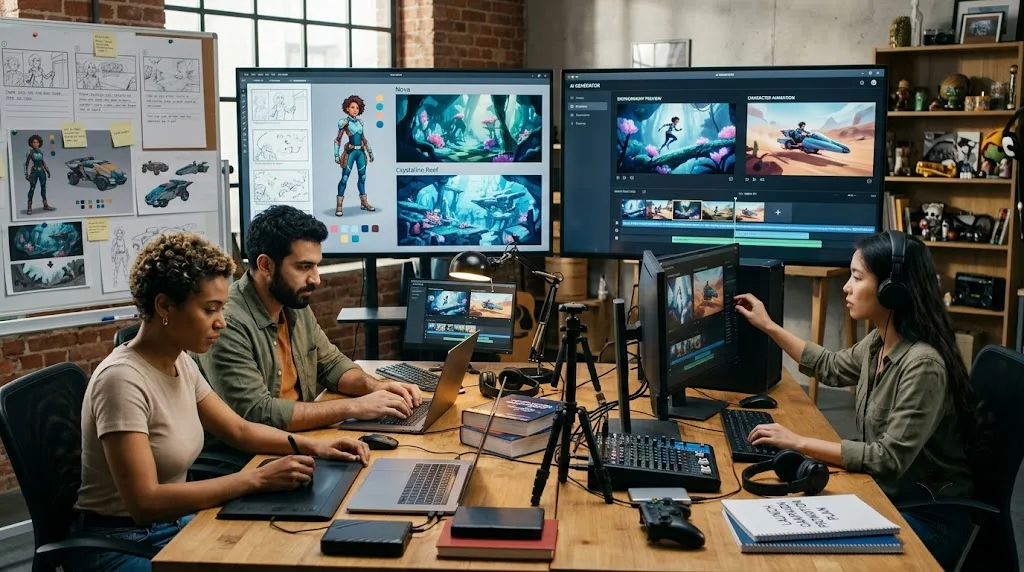
Apple's App Store Review Guidelines are blunt about this: preview videos can't include footage shot outside the app, features borrowed from a different version, or editing that implies the app does something it doesn't. A free ai video generator with built-in advanced features inside Higgsfield is becoming part of how indie developers put together demo videos, but only when every second of that video matches what's in the shipped build.
Why Does This Matter So Much for Indie Developers Specifically?
It's not an abstract risk. Apple rejects preview videos that open with cinematic footage never captured from the app itself, or that show a device the listing doesn't support. Developer forums carry plenty of reports of AI-generated demos getting flagged because the interface on screen didn't match what reviewers found in the build. For a solo developer, that's not a minor inconvenience. A rejection sends you back to the end of the review queue, and that queue can eat several days you didn't plan to lose.
The risk lands harder here than at a bigger studio. A larger team usually has someone whose job is checking marketing assets against the actual build before anything goes out the door. A solo developer is coding, marketing, and hitting submit, often within the same afternoon, and that's exactly the setup where an AI-generated demo slips through without a second look.
What Does Apple's Guidance Actually Say About Demo Videos?
Section 2.3 of the guidelines, Accurate Metadata, is direct: your app description, screenshots, and previews have to accurately reflect the app's core experience. Every claim on screen has to be demonstrable in the exact build under review. A demo video isn't creative territory the way a billboard ad might be. It's treated as a factual claim about a real product.
And the guideline doesn't stop applying after launch. The same section asks you to keep that metadata up to date with new versions. Ship an update with different functionality and leave the old demo video live, and you've now got the same mismatch the rule was written to catch, even though the video was accurate the day you first uploaded it. Keeping demo content current is something you do with every release, not something you check off once.
What's the Right Way for Developers to Actually Use This Kind of Tool?
Use it to make real footage look better. Better pacing, cleaner cuts, narration that doesn't sound like you're reading off a script for the first time. What you shouldn't do is have it show a screen, a feature, or an interaction that isn't in the app someone downloads. Reviewers look for this gap between what's promised and what ships, and a rejection here costs real days you'll want back.
The safest workflow is boring and effective: record real screen footage from the actual build first, then let the tool polish footage that was already true. A developer tempted to have the tool invent a smoother version of a feature that isn't finished yet is building the exact mismatch Apple's rule exists to catch.
What Happens When You Want a Polished Demo but Have No Production Budget?
This is where a lot of solo developers get stuck. You've built something that works well, but without video skills or a budget for one, your listing ends up carrying either bare screenshots or a shaky, unedited screen recording that doesn't show what using the app feels like.
That gap costs the most when the app's best qualities are things a screenshot can't capture: a smooth transition, a satisfying bit of animation, an interaction that just feels right. None of that survives a still image. An app that's a pleasure to use can end up looking flat in a listing, and you lose downloads from people who never got to see the part that would have sold them.
What Are the Traditional Options for an App Demo Video?
Hire a freelancer, and you get polished, professional footage. Record a raw screen capture yourself, and you get something free and immediate but usually rough, missing the pacing and clarity that helps someone understand an app in the first five seconds of watching.
Each comes with a real cost, just a different kind. A freelancer's work looks great, but the price tag makes it hard to justify for every update, especially if you're shipping often. A raw recording costs nothing but time, and it shows. An app that's well-built can come across as amateurish next to a competitor with a more polished listing.
Where Do Both Traditional Options Fall Short for Developers Shipping Often?
It comes down to cost against speed. Few solo developers can commission new footage for every app or every update, and the free alternative undersells the work.
| Professional video freelancer | Raw screen recording | Free AI video generator | |
|---|---|---|---|
| Cost | A real, often significant expense | Free, but unpolished | Included in a free or affordable tier |
| Production quality | High | Varies with skill | High, with real creative direction |
| Turnaround | Days, requires scheduling | Immediate | Minutes |
| Best suited for | A flagship app launch | Simple internal demos | Iterating quickly across app updates |
How Does This Tool Fit Into an Indie Developer's Launch Workflow?
A free ai video generator, available through Higgsfield, takes real screen recordings from an actual app and turns them into a demo video within minutes, no video editing background required, no freelancer budget needed for every release. If you're shipping updates often, or running more than one app, that speed means your demo videos can stay current with what the app does today rather than what it did at launch.
What Does Every AI-Generated Demo Video Have to Show?
This is the part that matters most. A demo video has to show the real build a user is going to download: real screens, real features, real interactions. Not a fabricated capability, not a screen that doesn't exist in what ships. Use Higgsfield's tools to make real app footage look better, not to show functionality that isn't there. Apple's guidelines prohibit exactly this kind of mismatch. This isn't a style preference. It's the line between a smooth launch and a submission bounced back to the queue.
What Else Can an Indie Developer Build Beyond a Single Demo Video?
One demo video is a starting point, not the ceiling. The same approach carries across whatever platforms you're marketing an app on, and it pairs well with the practical detail Visnalize covers in its own Instagram Reels specs and compression guide, which walks through what happens to your footage once a platform re-encodes it after upload. Higgsfield AI is a native AI creative suite, which offers advanced AI image, video, and voice generation, editing, and upscaling tools. That means the same workspace can also produce screenshots and marketing images for the same app.
Does This Replace the Product Itself Behind a Successful Launch?
No. What makes an app succeed is functionality that works, usability people notice, and a real answer to a problem they have. None of that comes from a video tool. Higgsfield speeds up making a demo that presents a good app well. It doesn't make the app better, doesn't generate demand out of nothing, and doesn't replace the product decisions that determine whether anyone keeps the app installed after day one.
Is the Free Tier Actually Enough for Ongoing Marketing?
Worth answering honestly instead of glossing over it. Higgsfield's free tier exists, but like most free tiers in this space, it comes with real limits, usually a capped number of generations and a watermark on the output. That's enough to test the tool and put together a first demo. It's not enough for sustained marketing across multiple apps and updates. If this becomes a regular part of your workflow, budget for the fact that a paid plan will probably follow once the free tier proves the approach is worth sticking with.
What Should a Developer Actually Look for in a Tool Like This?
A few things matter more here than they would for generic marketing video. Working from real screen recordings instead of fabricated content matters most, given what's at stake with App Store review. Clean, professional pacing matters because a demo has to communicate an app's value fast. And ease of use matters, since most indie developers didn't sign up to become video editors on top of everything else.
What Are the Key Takeaways for Indie Developers?
- Apple's App Review Guidelines flatly prohibit preview videos showing footage, features, or capabilities that don't exist in the actual submitted build.
- Developer forums carry reports of rejections tied to AI-generated demos where the interface shown didn't match the shipped app.
- A free ai video generator like Higgsfield turns real screen recordings into a polished demo quickly, without a production budget getting in the way of a launch.
- Every AI-generated demo has to show real functionality only, nothing fabricated, nothing that isn't in the version someone downloads.
What Are Some Frequently Asked Questions About Free AI Video Generators for Indie App Marketing?
Can a free AI video generator show app features that aren't actually in the shipped build?
No, and Apple's guidelines are explicit about it. The tool should make real app footage look better, not add capabilities the app doesn't have in the version people actually download.
Does using an AI video generator raise the risk of App Store rejection?
Not if the footage underneath is real and matches the shipped build. What triggers rejections is the gap between what's shown and what's actually there, not the fact that AI touched the editing.
Do you need video editing skills to use this kind of tool?
No. Real screen recordings of your app, plus a description of the pacing and style you're after, is enough. No prior editing experience needed.
Is this only useful for a first launch, or does it help with ongoing updates too?
It's arguably more useful for ongoing updates. Keeping a demo video current after every release is a real, recurring task, and a fast tool handles that better than commissioning new footage each time something changes.