
Choosing the Right Mouse for Windows
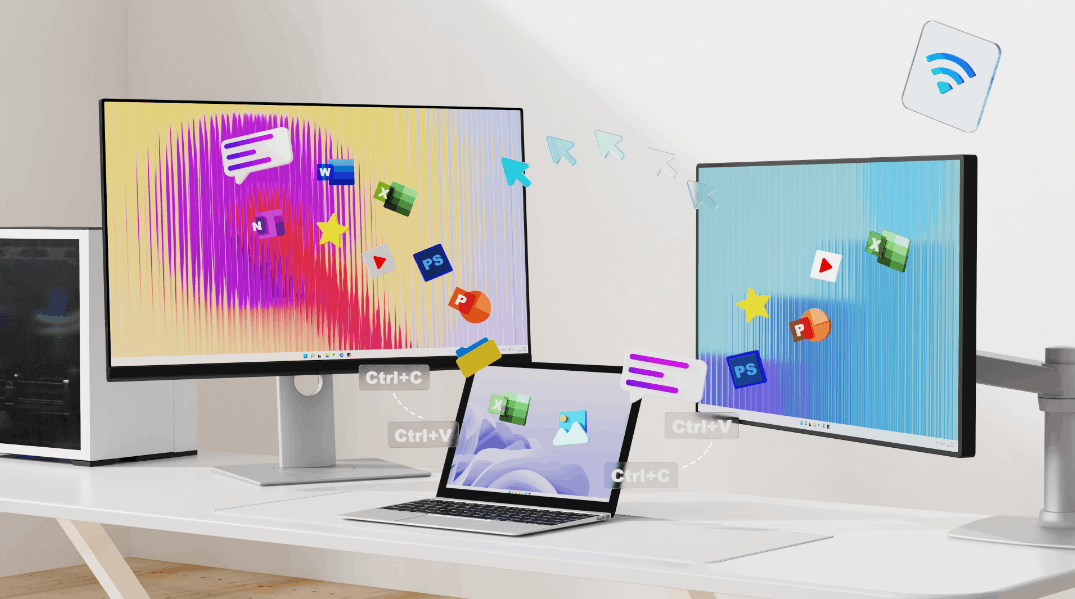
For anyone who spends significant time on a Windows PC, whether for work, gaming, or everyday use, the mouse is one of the most frequently touched pieces of hardware. Yet it's often chosen without much thought, leading to discomfort, imprecise control, or a setup that just doesn't fit the way you work.
With a wide variety of options on the market today, ranging from lightweight gaming mice to ergonomic wireless models built for long office hours, it helps to know what actually matters before making a decision. This guide covers the key features to look for, the differences between gaming and productivity mice, and which products are worth considering to get the most out of your Windows experience.
Why Choosing the Right Mouse for Windows Matters
Windows remains the most widely used operating system for gaming, work, and everyday computing, powering millions of desktop PCs and laptops worldwide. Whether you're editing documents, designing graphics, browsing the web, or competing in fast-paced games, the mouse you use plays a critical role in how smoothly and efficiently you interact with your computer. Choosing the right mouse for Windows can significantly improve both comfort and control during long hours of use.
Mouse performance directly affects precision, comfort, and productivity. A high-quality sensor allows the cursor to track movement accurately, which is essential for tasks like graphic design, spreadsheet navigation, and competitive gaming. At the same time, ergonomic design helps reduce hand fatigue, especially for users who spend many hours working or gaming on a Windows PC. Because of this, selecting the best mouse for Windows PC is not just about basic functionality, it's about finding the right balance between performance and comfort.
Another important factor is understanding the difference between gaming mice and office mice. Gaming mice typically prioritize high-precision sensors, adjustable DPI settings, lightweight designs, and additional programmable buttons that allow faster in-game actions. Office mice, on the other hand, focus more on comfort, quiet operation, long battery life, and simple multi-device connectivity for productivity tasks. Depending on your daily workflow, one style may be more suitable than the other.
Finally, compatibility features can also influence your experience on Windows systems. Many modern mice support plug-and-play drivers, meaning they work instantly when connected to a Windows PC. More advanced models also provide software for DPI customization, macro programming, and button remapping, allowing users to fine-tune performance. Connectivity options such as wired USB, 2.4GHz wireless, and Bluetooth further expand flexibility, enabling a mouse to work seamlessly across desktops, laptops, and multi-device setups.
What to Look for in a Mouse for Windows
When choosing a Windows compatible mouse, it's helpful to understand which features actually affect performance and usability. Whether you use your computer for gaming, professional work, or everyday browsing, the right mouse should provide accurate tracking, reliable connectivity, and long-term comfort. The sections below highlight the most important factors to consider before selecting a mouse for your Windows setup.
Precision and Sensor Performance
Precision is one of the most important aspects of any mouse. A high-quality sensor ensures that cursor movement accurately reflects your hand movements, which is essential for both productivity and gaming.
Modern mice typically use optical sensors, which track movement using light-based detection. These sensors offer reliable tracking on a variety of surfaces and are widely used in both gaming and office mice.
DPI (dots per inch) is another key specification. Higher DPI settings allow the cursor to move farther on the screen with smaller physical movement. For example:
- Lower DPI is often preferred for precision tasks such as graphic design
- Higher DPI can be useful for fast-paced gaming or large displays
Many modern mice allow users to adjust DPI levels directly through mouse software for Windows, making it easy to switch between different sensitivity settings depending on the task.
Connectivity Options
Another important factor is how the mouse connects to your Windows device. Most modern mice support multiple connection types, allowing users to choose the setup that best fits their workflow.
Wired USB
- Stable connection with no battery required
- Often preferred for competitive gaming due to consistent performance
2.4GHz Wireless
- Uses a USB receiver for low-latency wireless communication
- Provides performance similar to wired connections while reducing cable clutter
Bluetooth
- Ideal for laptops and multi-device setups
- Allows switching between different devices without needing additional receivers
For many Windows users, a multi-mode mouse that supports both 2.4GHz wireless and Bluetooth offers the most flexibility.
Ergonomics and Comfort
Comfort is critical for anyone who spends long hours using a computer. An ergonomic mouse helps reduce hand strain and improves long-term usability, especially during extended gaming sessions or full workdays.
Different users also prefer different grip styles, including:
- Palm grip – the entire hand rests on the mouse, offering maximum support
- Claw grip – the palm rests lightly while fingers control clicks and movement
- Fingertip grip – only the fingertips touch the mouse, allowing quick movements
Choosing a mouse that matches your hand size and grip style can greatly improve comfort and control during both work and gaming.
Software and Customization
Many advanced mice include dedicated mouse software for Windows that allows users to customize settings beyond basic plug-and-play functionality.
Common customization options include:
- DPI adjustment for different sensitivity levels
- Macro programming for assigning complex commands to buttons
- Button remapping to personalize controls
- Profile saving for switching between work and gaming setups
With proper Windows driver support, these features allow users to fine-tune their mouse for specific applications, games, or workflows, making the overall experience much more efficient.
Best Gaming Mouse for Windows
For players who want responsive control and precise tracking, a dedicated Windows gaming mouse can make a noticeable difference. Gaming mice are designed with performance-focused hardware and customizable features that help players react faster, aim more accurately, and maintain consistent control during long gaming sessions.
One of the most important features in a best gaming mouse for Windows is a high-performance optical sensor. Modern gaming sensors support high DPI ranges, allowing players to adjust sensitivity depending on their preferred play style. Lower DPI settings can improve precision for FPS titles, while higher DPI levels help with faster cursor movement across large monitors.
Another key specification is polling rate, which determines how frequently the mouse reports its position to the computer. Standard mice typically run at 125Hz, while gaming mice may support much higher polling rates such as 1000Hz or even 8000Hz, allowing the system to receive movement data more frequently. This helps deliver smoother cursor tracking and more responsive gameplay.
Weight also plays an important role in gaming performance. Many modern gaming mice feature lightweight designs that reduce hand fatigue and allow quicker movements during fast-paced gameplay. This can be particularly beneficial in competitive FPS titles where rapid flick shots and micro-adjustments are common.
Customization is another advantage of gaming mice. Extra programmable buttons allow players to assign in-game actions, macros, or shortcuts, making it easier to execute complex commands without relying solely on the keyboard. With supporting software, players can also adjust DPI levels, create profiles for different games, and fine-tune performance settings.
This lineup of gaming mice is designed for Windows systems, with options suited for different hand sizes and play styles:
- A well-balanced shape that works well for competitive gaming, offering strong control and stability.
- A larger design that provides better palm support, making it a good option for players with bigger hands.
- A compact and lightweight model designed for quick movements and fast FPS gameplay.
Each of these models is built to work seamlessly with Windows PCs, combining precision sensors, customizable controls, and reliable wireless performance to support both casual and competitive gaming environments.
Best Wireless Mouse for Windows Productivity
For everyday work, comfort and reliability often matter more than raw performance. A good wireless mouse for Windows should provide smooth tracking, quiet operation, and long battery life so users can focus on their tasks without distractions. Whether you're working in an office, studying, or managing multiple devices, a well-designed wireless mouse can significantly improve productivity.
One feature many office users appreciate is silent clicking. Quiet buttons help reduce noise in shared workspaces and make long working sessions more comfortable. Compared to traditional clicky switches, silent designs allow users to navigate documents, spreadsheets, and websites without constant clicking sounds.
Battery life is another important consideration for a office mouse for Windows. Many modern wireless mice are designed with power-efficient sensors and optimized wireless technology, allowing them to operate for weeks or even months on a single charge or battery. This reduces interruptions and makes them ideal for daily work routines.
Many productivity-focused mice also support multi-device switching, which is particularly useful for users who work across multiple computers. For example, a multi-mode wireless mouse may support both 2.4GHz wireless and Bluetooth connections, allowing users to quickly switch between a desktop PC, laptop, or tablet. This flexibility makes it easier to manage work across different devices without constantly reconnecting accessories.
Comfort is equally important for long work sessions. An ergonomic office mouse is designed to support the natural position of the hand, helping reduce wrist strain and fatigue over time. Features such as contoured shapes, textured grips, and balanced weight distribution can make daily computer use significantly more comfortable.
For Windows users who prioritize productivity, a multi-mode wireless mouse with ergonomic design, quiet buttons, and reliable connectivity provides a practical solution for both home offices and professional work environments.
How to Choose the Best Mouse for Your Windows Setup
With so many options available, selecting the right mouse for your Windows PC can feel overwhelming. The best approach is to focus on how you actually use your computer. By considering factors like usage scenario, hand size, connectivity preference, and portability, you can quickly narrow down the most suitable option.
Gaming vs Work
The first decision is whether the mouse will primarily be used for gaming or productivity.
Gaming mice are designed for performance, often featuring high-precision sensors, adjustable DPI settings, and programmable buttons that help players react quickly in competitive games. These features are particularly useful for fast-paced titles such as FPS or battle royale games.
Office and productivity mice, on the other hand, focus more on comfort, quiet operation, and battery efficiency. They are ideal for tasks like document editing, browsing, and general computer work where long-term comfort is more important than extreme performance.
Hand Size and Grip Style
A mouse should fit naturally in your hand to provide good control and reduce fatigue. Choosing the right size and shape depends largely on hand size and grip style.
Common grip styles include:
- Palm grip – the hand rests fully on the mouse for maximum support
- Claw grip – the palm partially rests while fingers arch for precise clicks
- Fingertip grip – only the fingertips control the mouse for faster movement
Users with larger hands often prefer slightly bigger mice that provide full palm support, while smaller hands may benefit from more compact designs.
Wired vs Wireless Preference
Another factor to consider is connectivity. Both wired and wireless mice work well with Windows systems, but each has its own advantages.
- Wired mice offer consistent performance and require no charging, making them popular for competitive gaming.
- Wireless mice provide greater freedom of movement and a cleaner desk setup, which is ideal for office environments or laptop users.
Modern wireless technology, especially 2.4GHz low-latency connections, has significantly reduced the performance gap between wired and wireless options.
Portability Needs
If you frequently move between different workspaces or use a laptop on the go, portability becomes an important factor. Lightweight wireless mice are easier to carry and often support Bluetooth connectivity, allowing them to connect quickly to different devices without needing a USB receiver.
For example:
- FPS gaming → a lightweight gaming mouse designed for fast movements and precise control
- Office productivity → an ergonomic wireless mouse that prioritizes comfort and quiet operation
By considering these factors, Windows users can choose a mouse that matches both their workflow and personal preferences, ensuring a smoother and more comfortable computing experience.
Final Thoughts
Windows supports a wide range of mice, from high-performance gaming models to comfortable productivity-focused designs. The best choice ultimately depends on how you use your computer and what features matter most in your daily workflow.
Gaming mice typically prioritize precision, speed, and customization, making them ideal for competitive play and fast-paced titles. In contrast, office mice focus more on comfort, quiet operation, and long battery life, helping users stay productive during long work sessions.
By choosing a mouse that fits your usage scenario, hand preference, and connectivity needs, you can significantly improve both your Windows computing experience and overall comfort.


