
Win7 Simu v4 - The journey continues
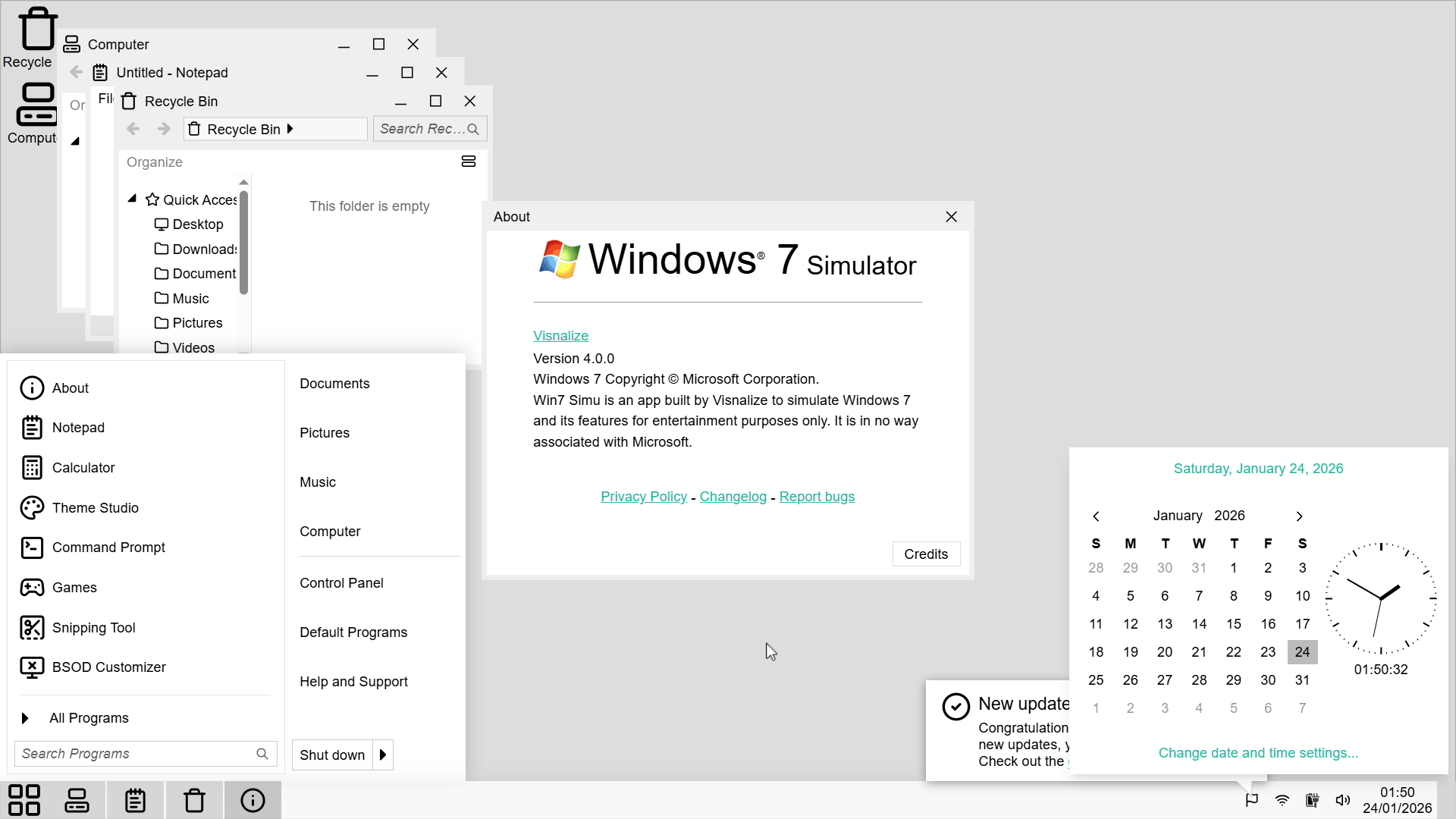
It's been almost half a year since the last update of Win7 Simu. It's been so long that I fear everyone has lost interest in the project. But today, I'm beyond excited to announce the release of Win7 Simu v4.0.0, a major update that continues the journey to bring back the nostalgic experience of the classic desktop operating systems we all loved.
In this post, let's take a closer look at the new changes and improvements that we've worked hard to bring you for the last few months, to see how far we've come and where we're headed on this nostalgia trip. So sit back, relax, and enjoy the ride!
What's new?
The classic experience, faithfully refined
Since day 0, the key factor that drove the development of Win7 Simu has been to recreate the classic Windows 7 experience as faithfully as possible. In the process, we've learned that there's a good chance to incorporate other OS experiences that share similar design philosophies, such as Windows Vista, Windows XP, the Windows 9x series, and even irrelevant systems like macOS and Linux.
With v4, we've taken a step further to refine the classic experience by carefully analyzing and implementing even more subtle details from these systems, ensuring that every interaction feels as authentic as possible. All of the available themes have been updated to a certain extent that brings you closer to the original experience. Some of the highlights include:
- The visual effects for Aero themes have been improved to better match the original Windows 7 behavior, with more accurate blur, glass and other aero effects.
Windows 7 Aero glass, taskbar color hot-tracking, animation
- Animations for themes like Windows 8, 10, 11, and macOS have been refined to provide a smoother and more responsive feel, closely resembling the original systems.
Windows 8 Start Screen animation
Windows 10 Start Menu animation
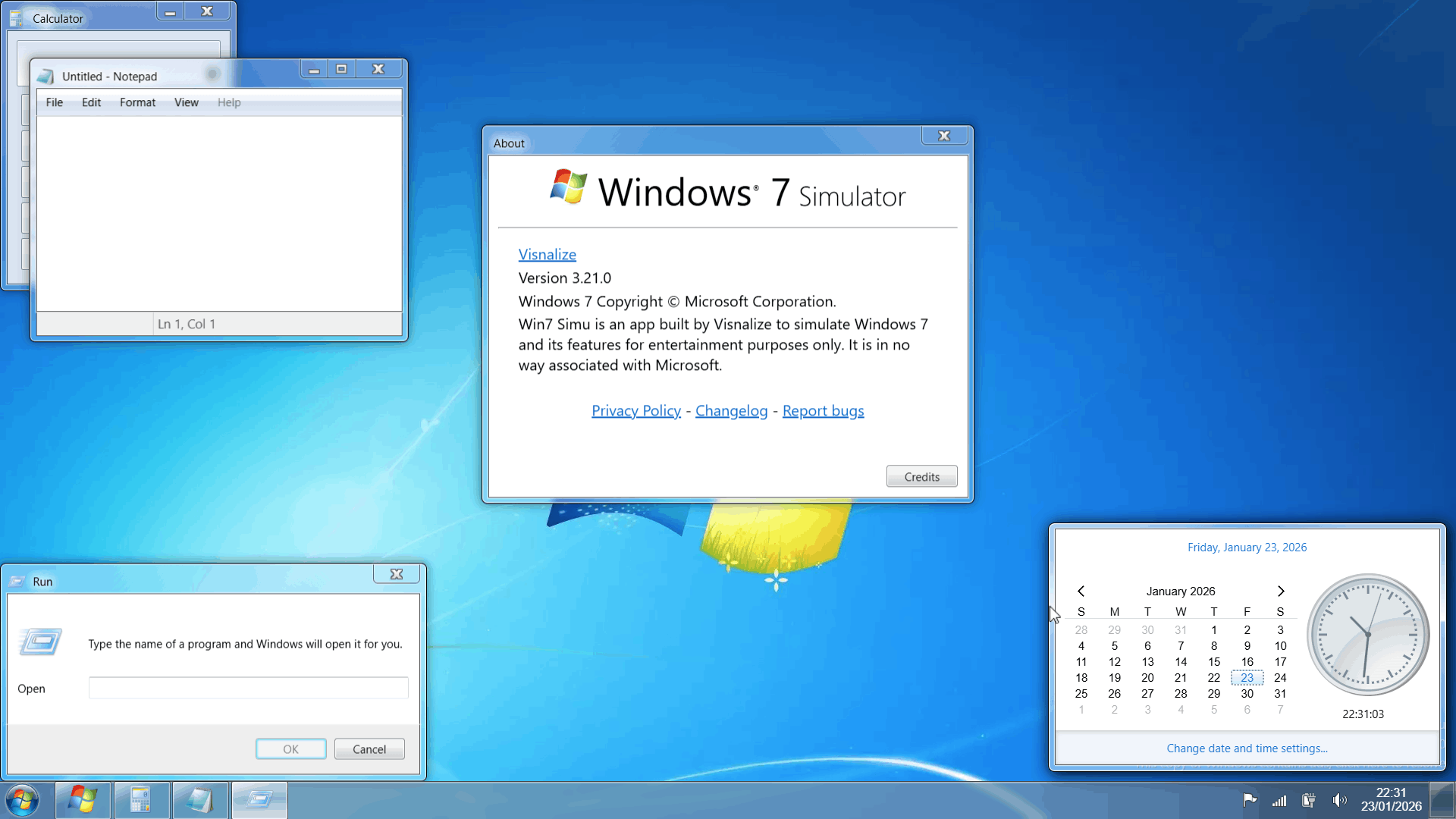
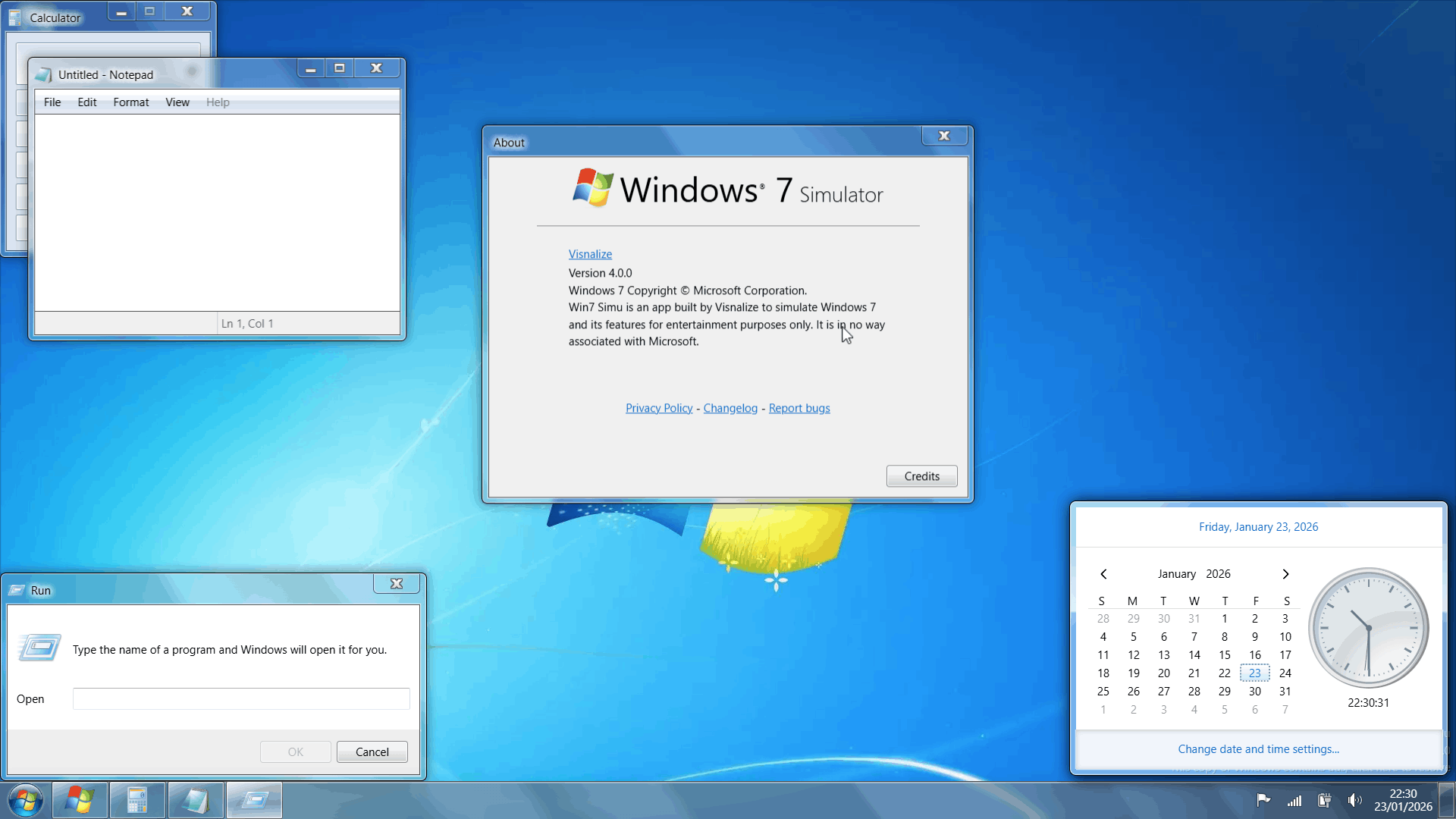
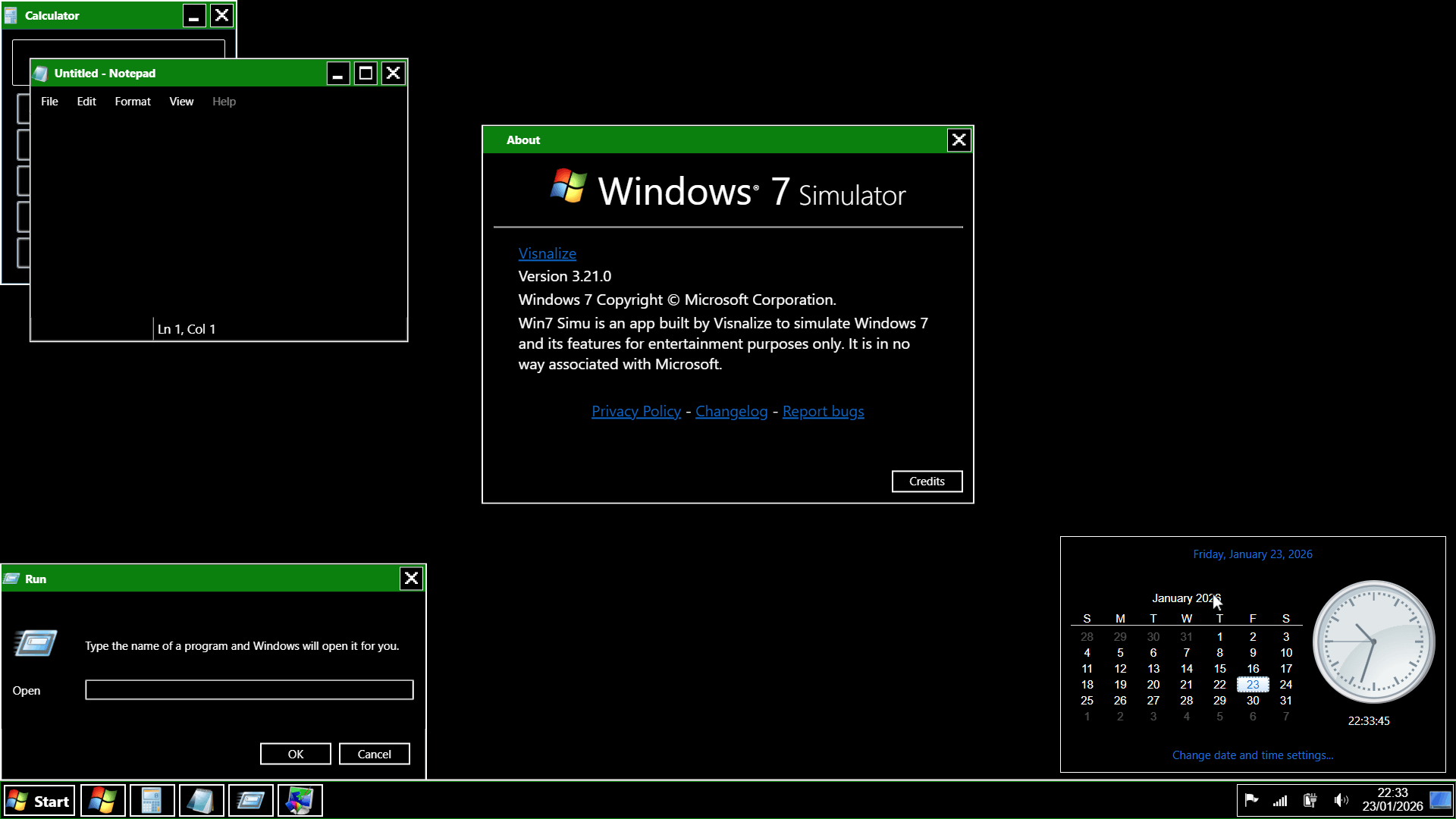
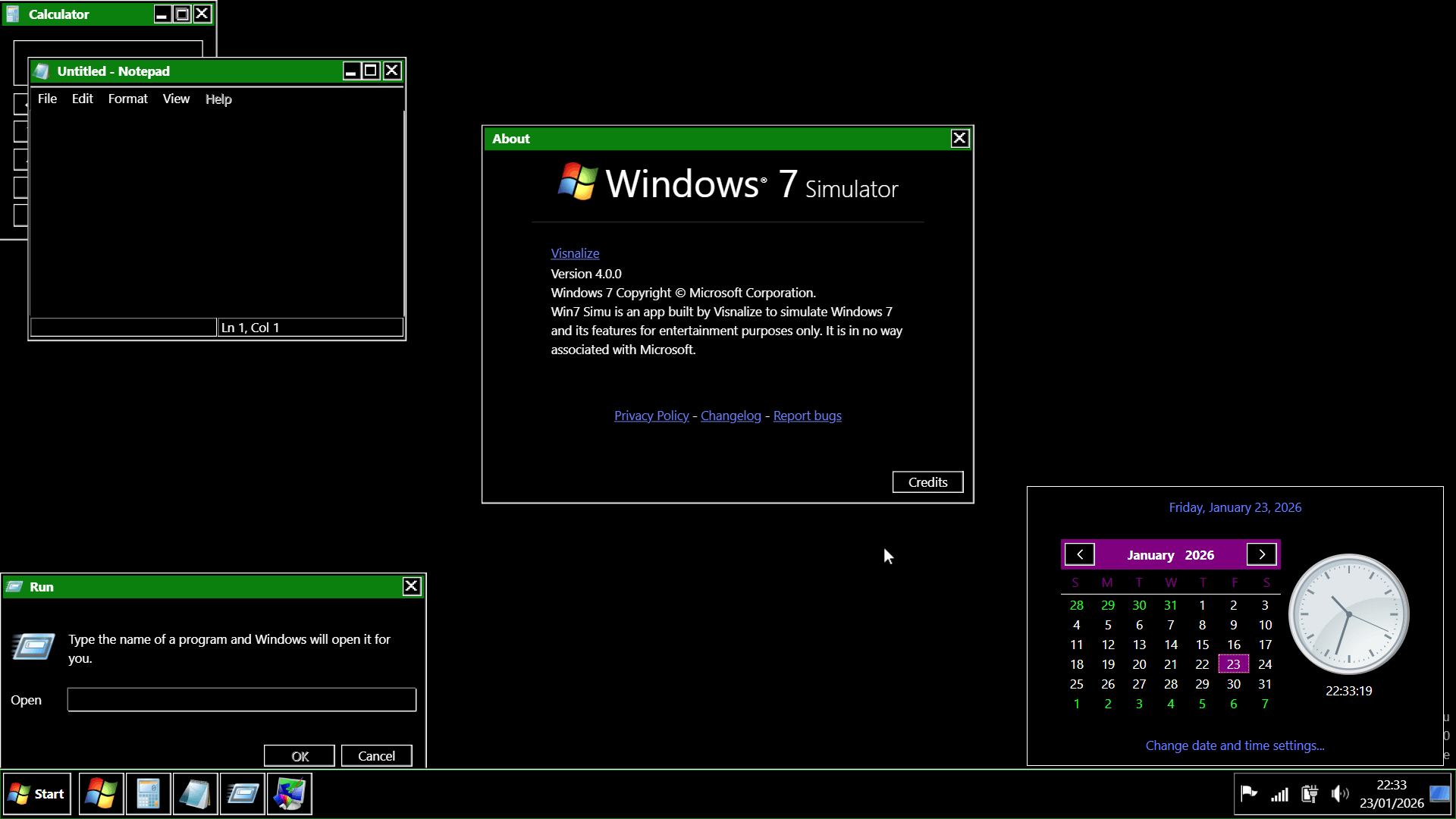
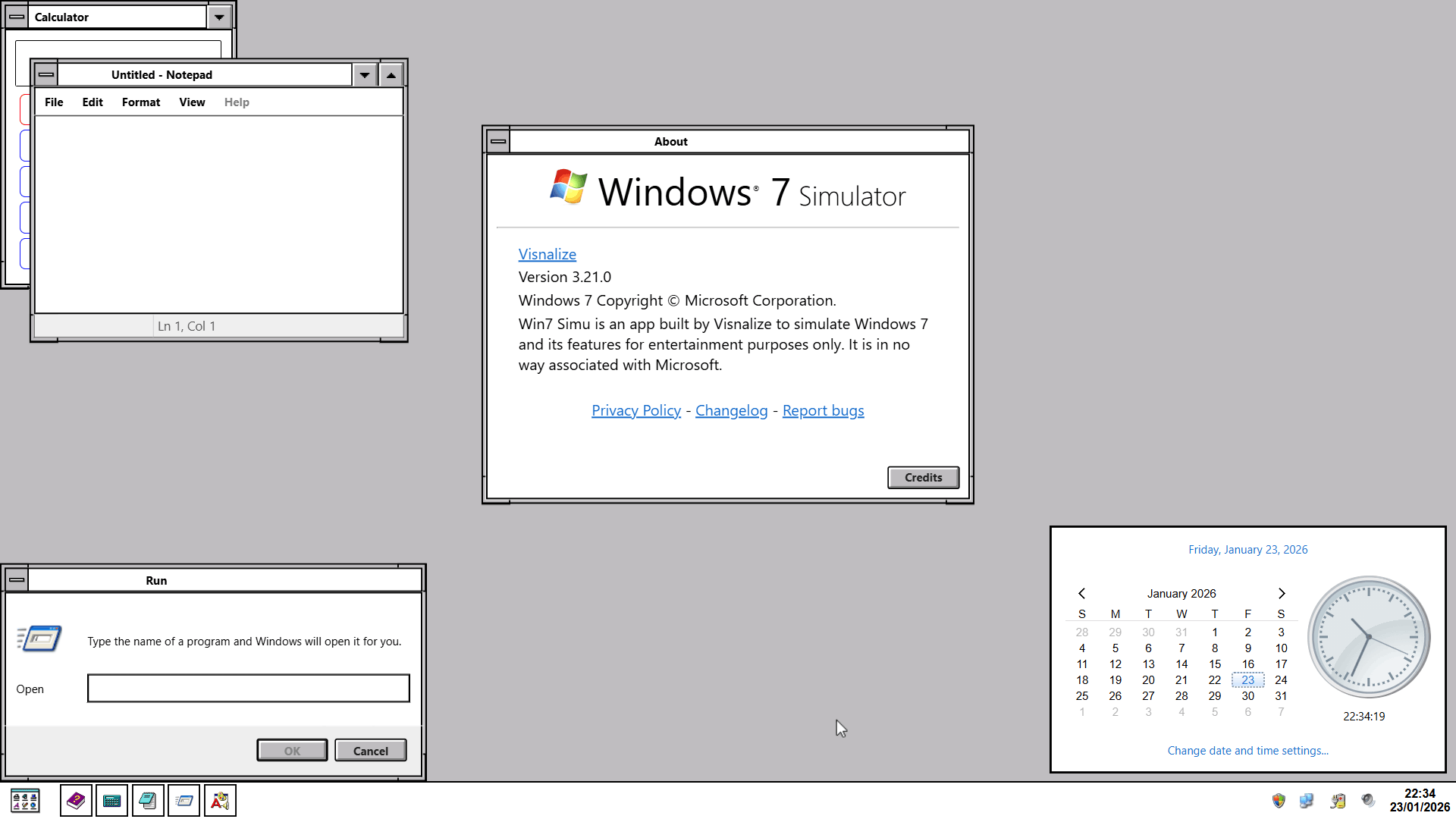
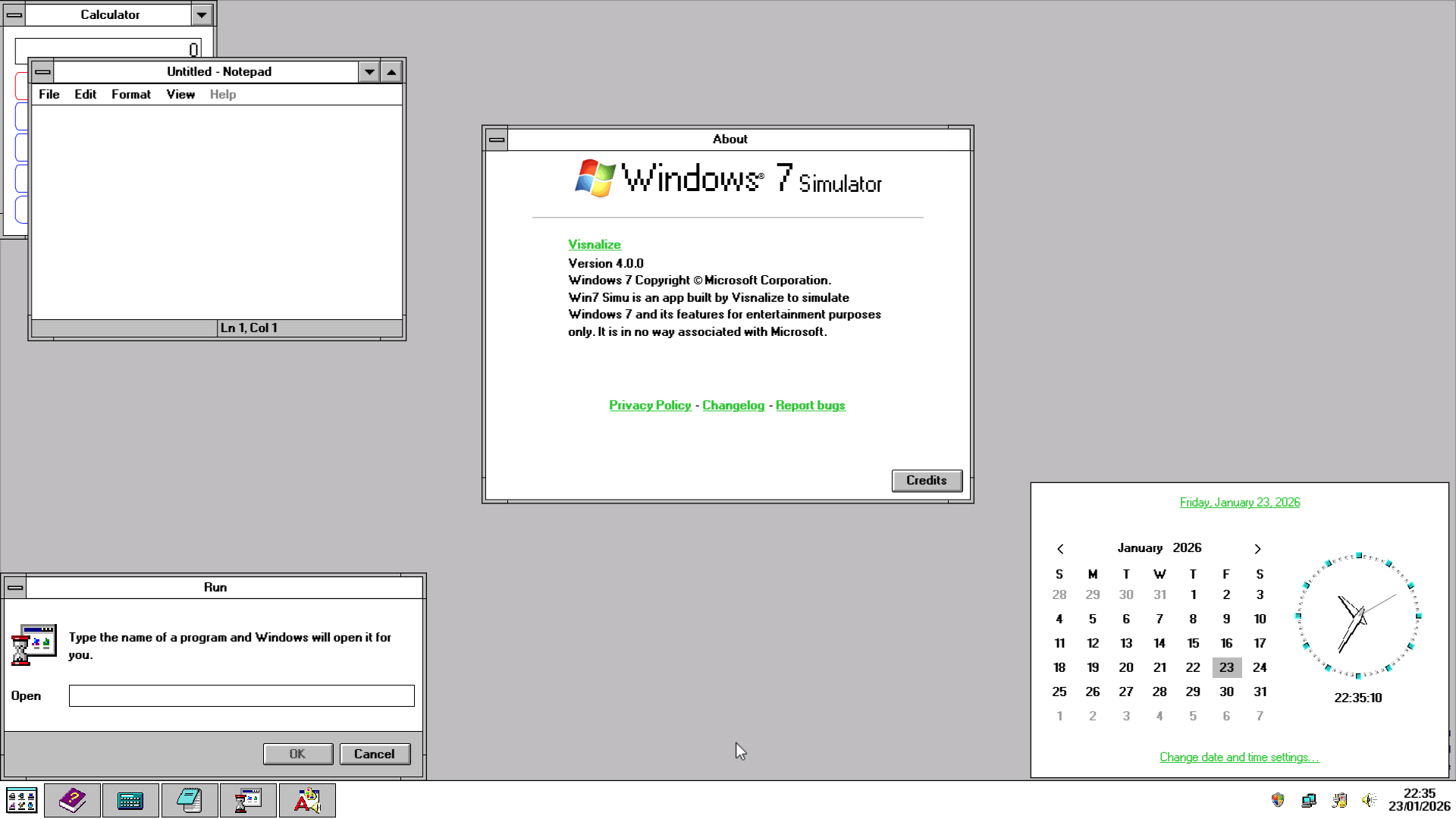
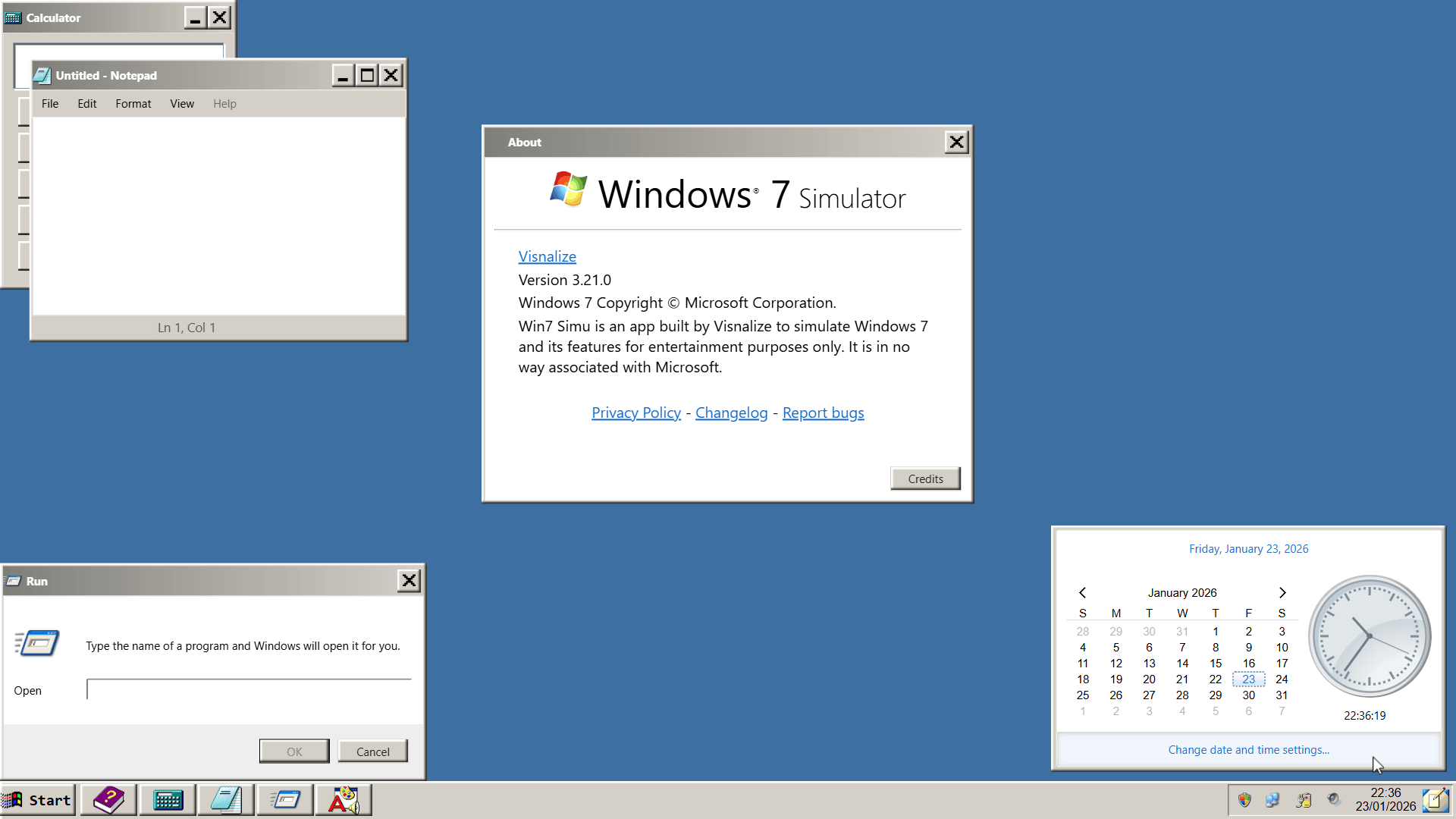
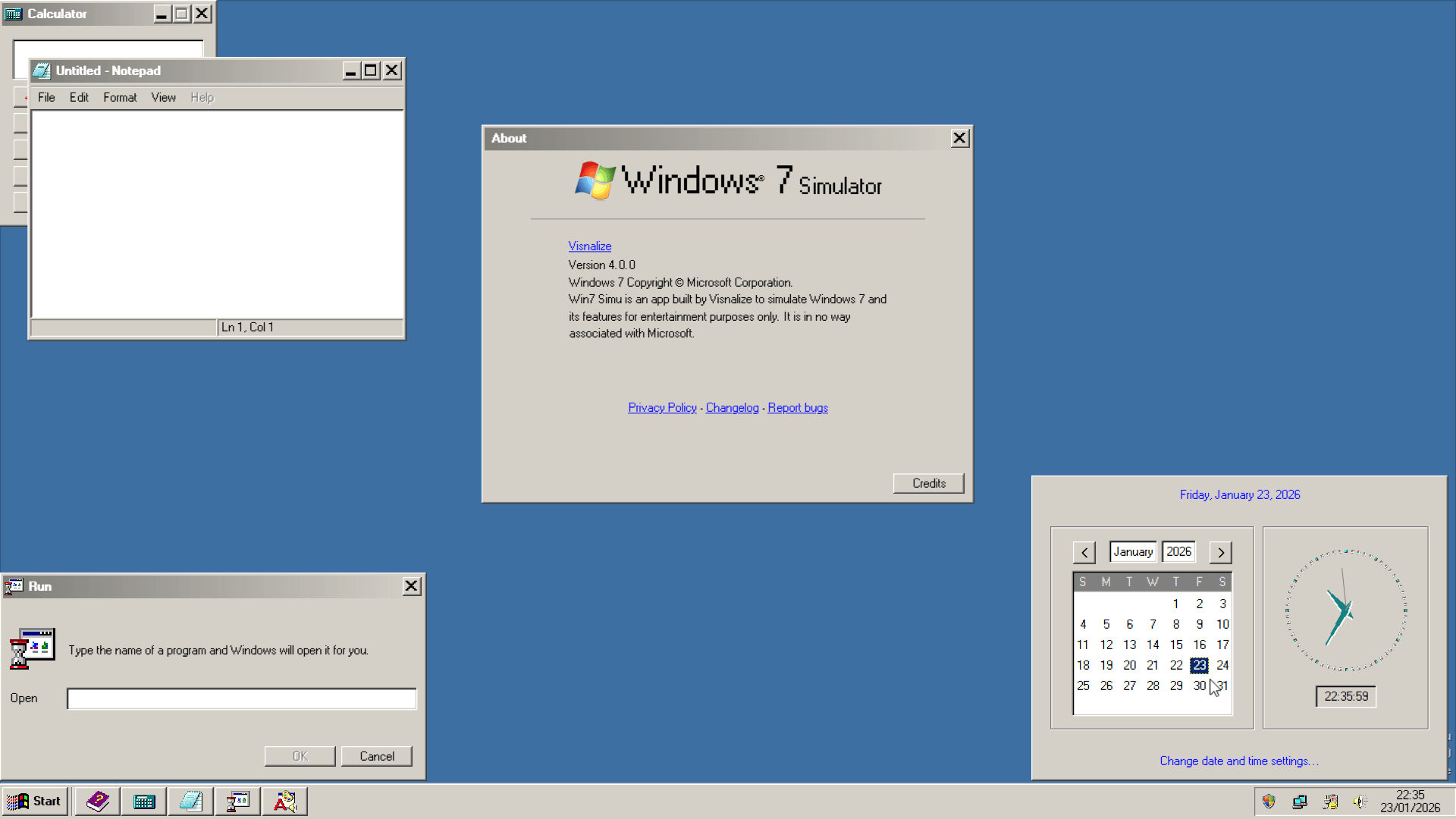
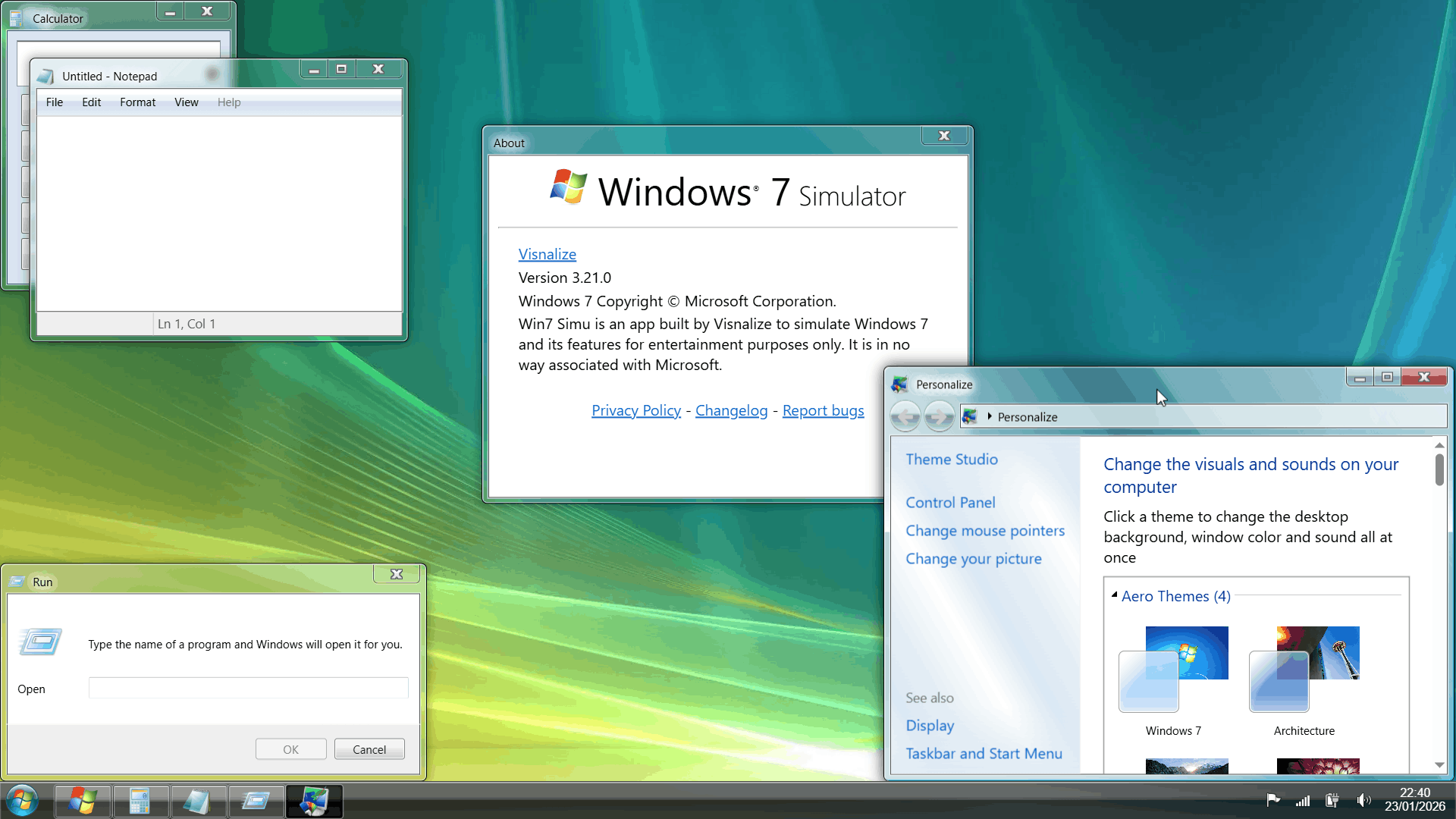
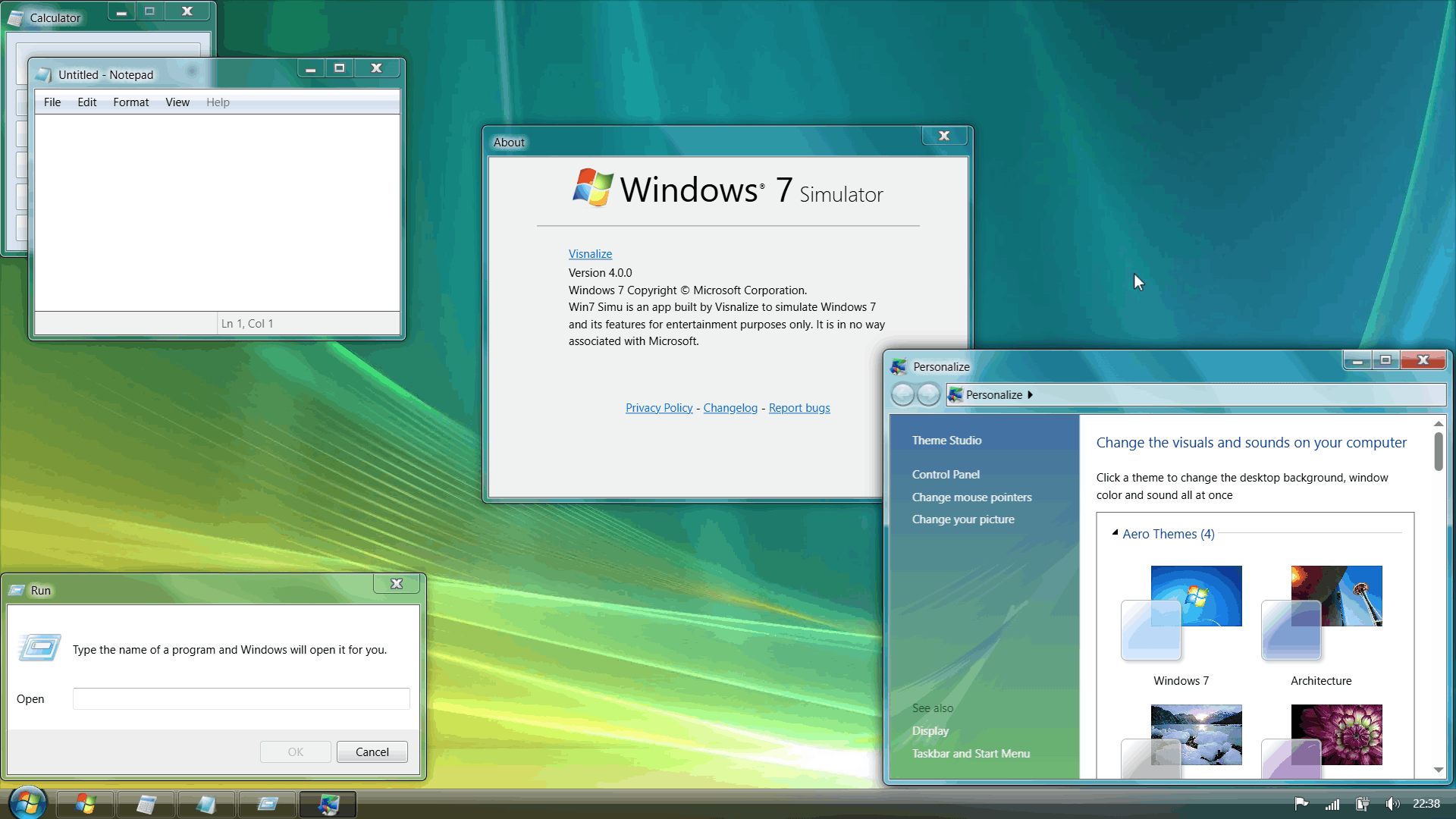
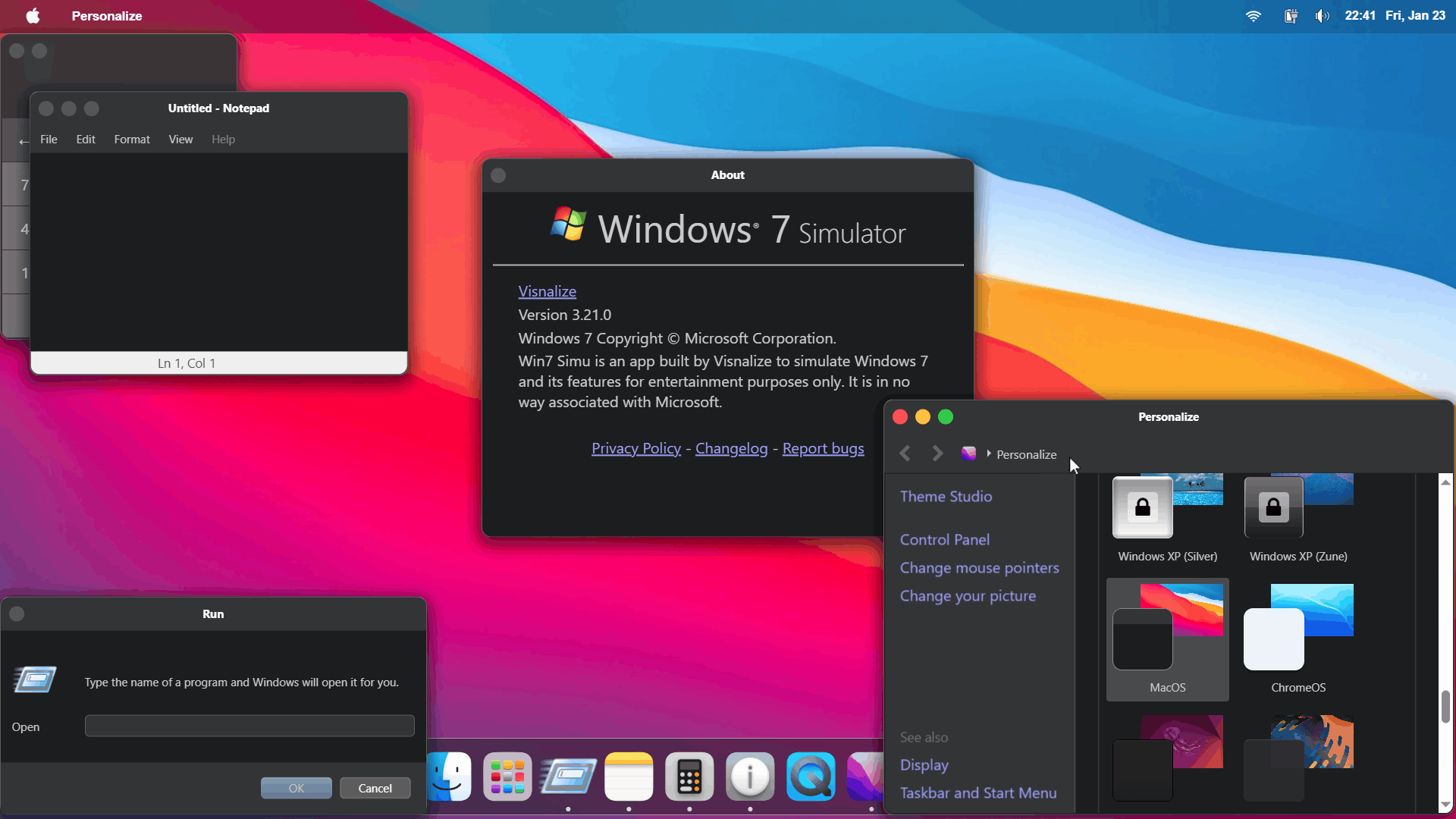
- Overall visual polish has been applied across all themes, nearly pixel by pixel, to ensure that every element looks as close to the original as possible. Below is a few comparisons showcasing the improvements made:
| Before | After |
|---|---|
 |  |
 |  |
 |  |
 |  |
 |  |
 | 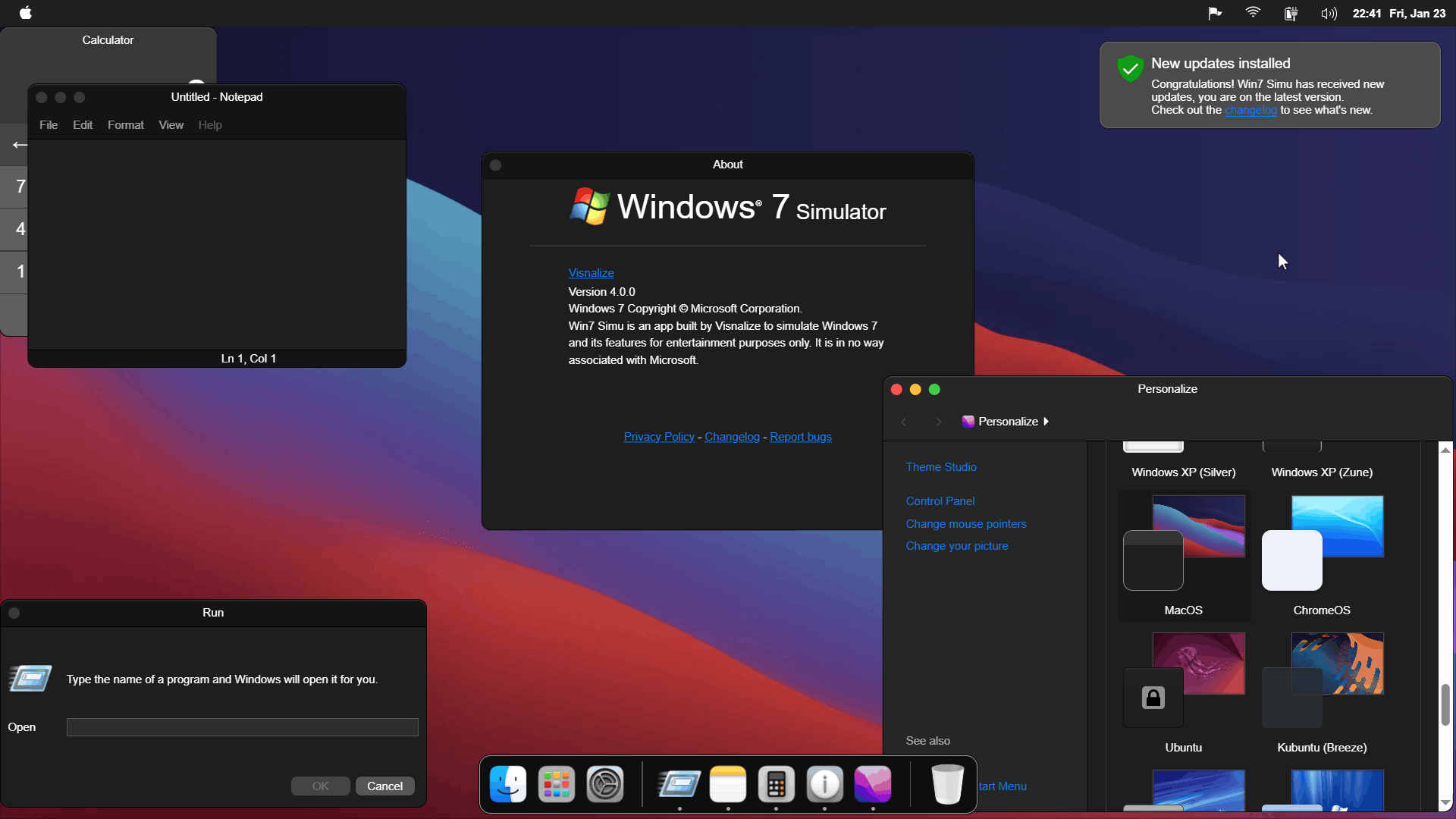 |
The control is yours to take
Don't you like the new effects and animations? Unfortunately, some of them are pretty resource-intensive and may cause performance issues on low-end devices. For that reason, we've made a deliberate choice to turn them off by default. But don't worry, in this update, you can now easily enable these features if you want to experience the full glory of the systems, or choose which ones to enable through the new Performance Options (accessible via Control Panel > System > Performance Options). Check out the video below to see how it works:
We may, however, re-evaluate this decision by improving the user device's hardware detection logic in future updates to provide a more tailored experience with optimal performance.
User experience, stability, got 'em
Window Manager is a crucial part of the desktop experience, and with v4, we've made several enhancements to improve its stability and user experience. Some of the key improvements include:
- Stacking behavior
- Dragging behavior (with the content hidden or shown based on your preference)
- Blocked by popups behavior
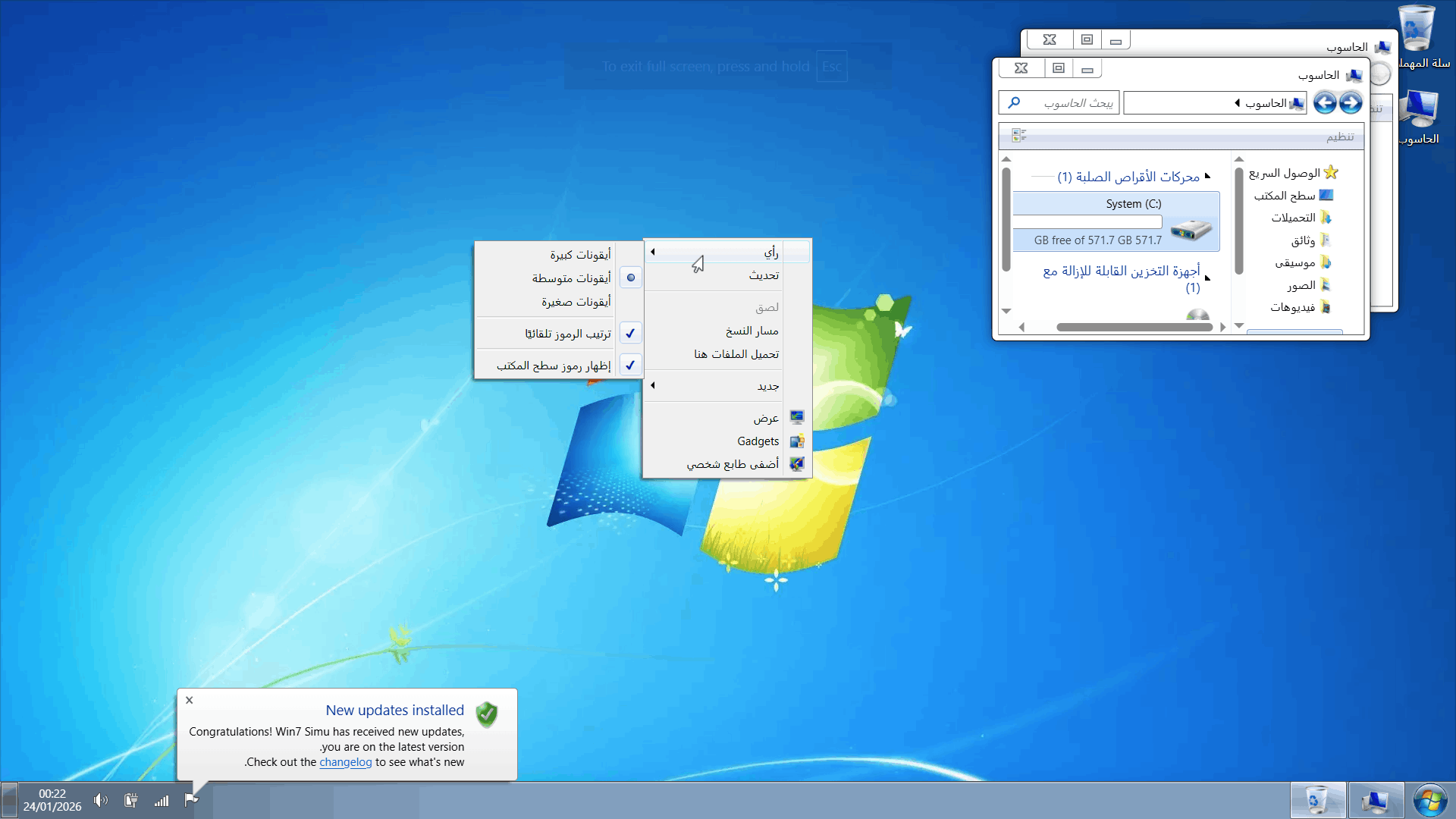
We've also made several bug fixes for languages with right-to-left (RTL) mode, ensuring that users who use these languages can enjoy a seamless experience with the app too.
Customizing your themes made easier
Theme Studio also got a major change in this update. While the core functionality remains the same, with minimal UI changes, the custom styles are now based on a "base" theme - a very simple and minimalistic theme designed specifically to make it easier for you to create your own themes from scratch.
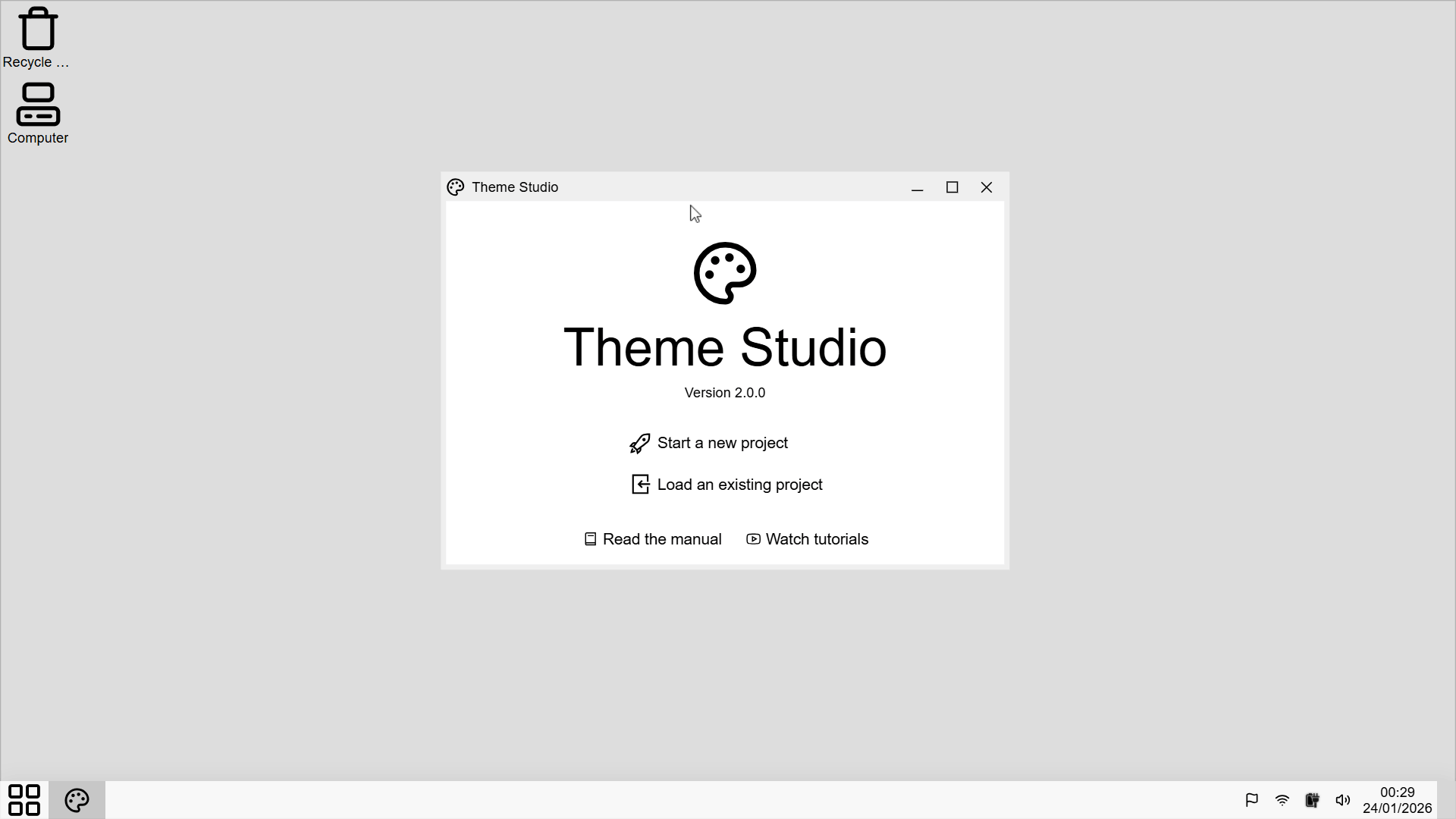
The base theme upon which custom themes are now built
We've also standardized some of the selectors to improve consistency and ease of use. As a result, some of the existing themes may not work properly, please consult the documentation for the changes. However, if you are starting fresh, you will find it much easier to create a theme with the new "Autofill" button that quickly fills the editor with common selectors, ready for you to customize.
Behind the scenes got better too
I would love to mention that one of the major driving forces behind this update is to improve the overall structure and maintainability of the project codebase. Over the past months, we've refactored and optimized significant portions of the code, making it easier to manage and extend, this will allow us to bring you new features and improvements more quickly and efficiently in future updates.
| Before | After |
|---|---|
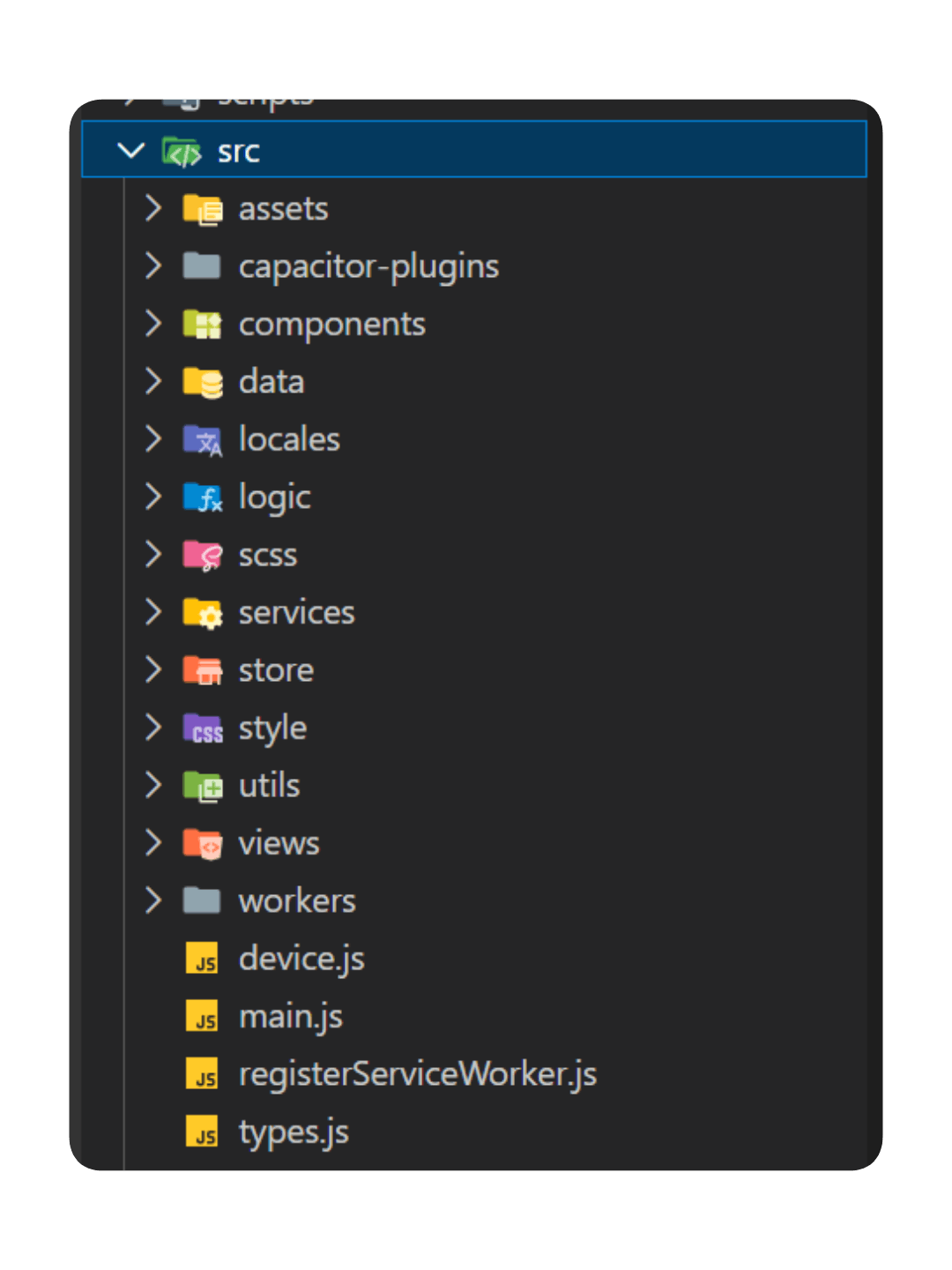 Poorly organized folder structure | 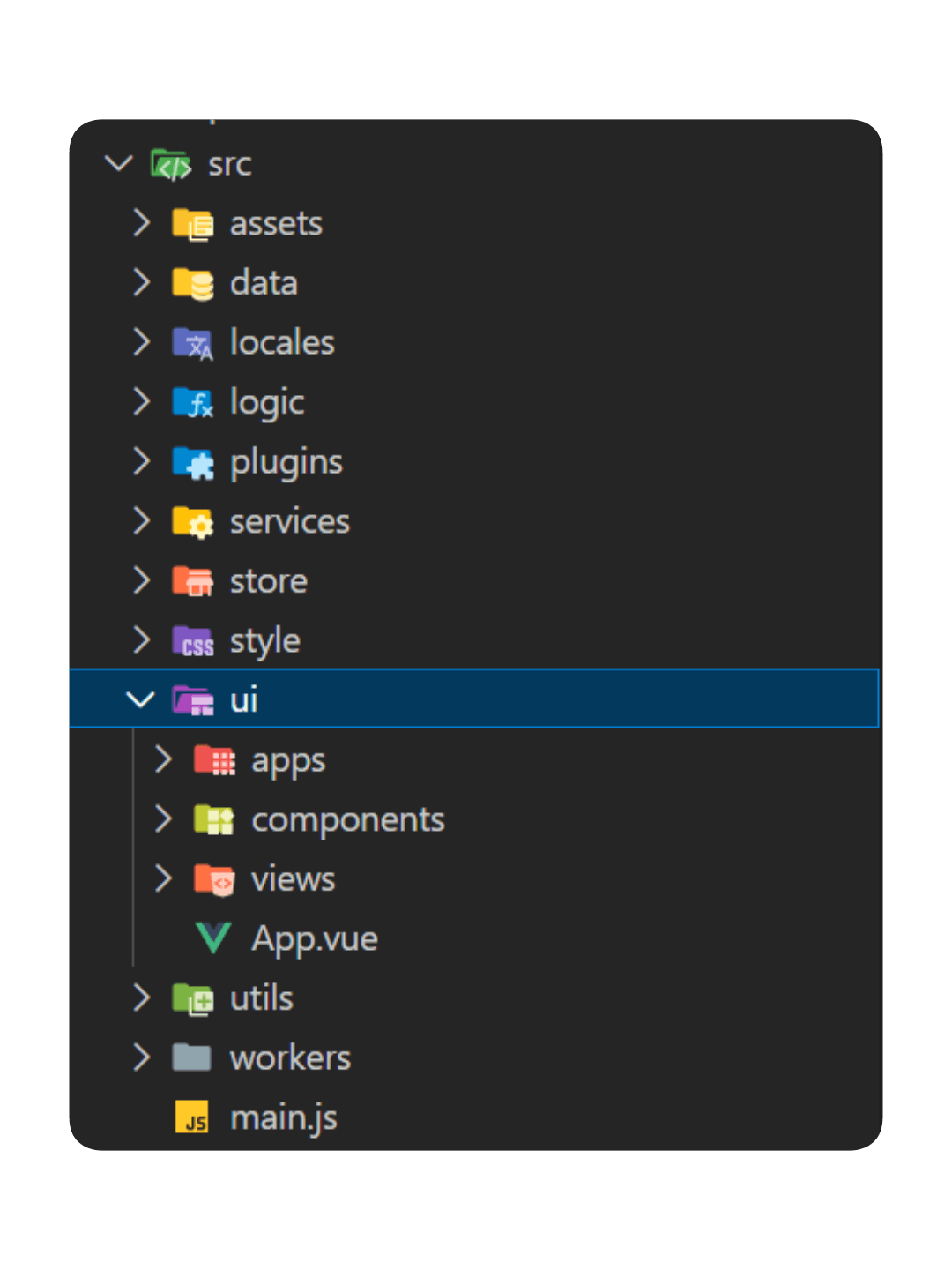 Improved structure with clear separation of concerns |
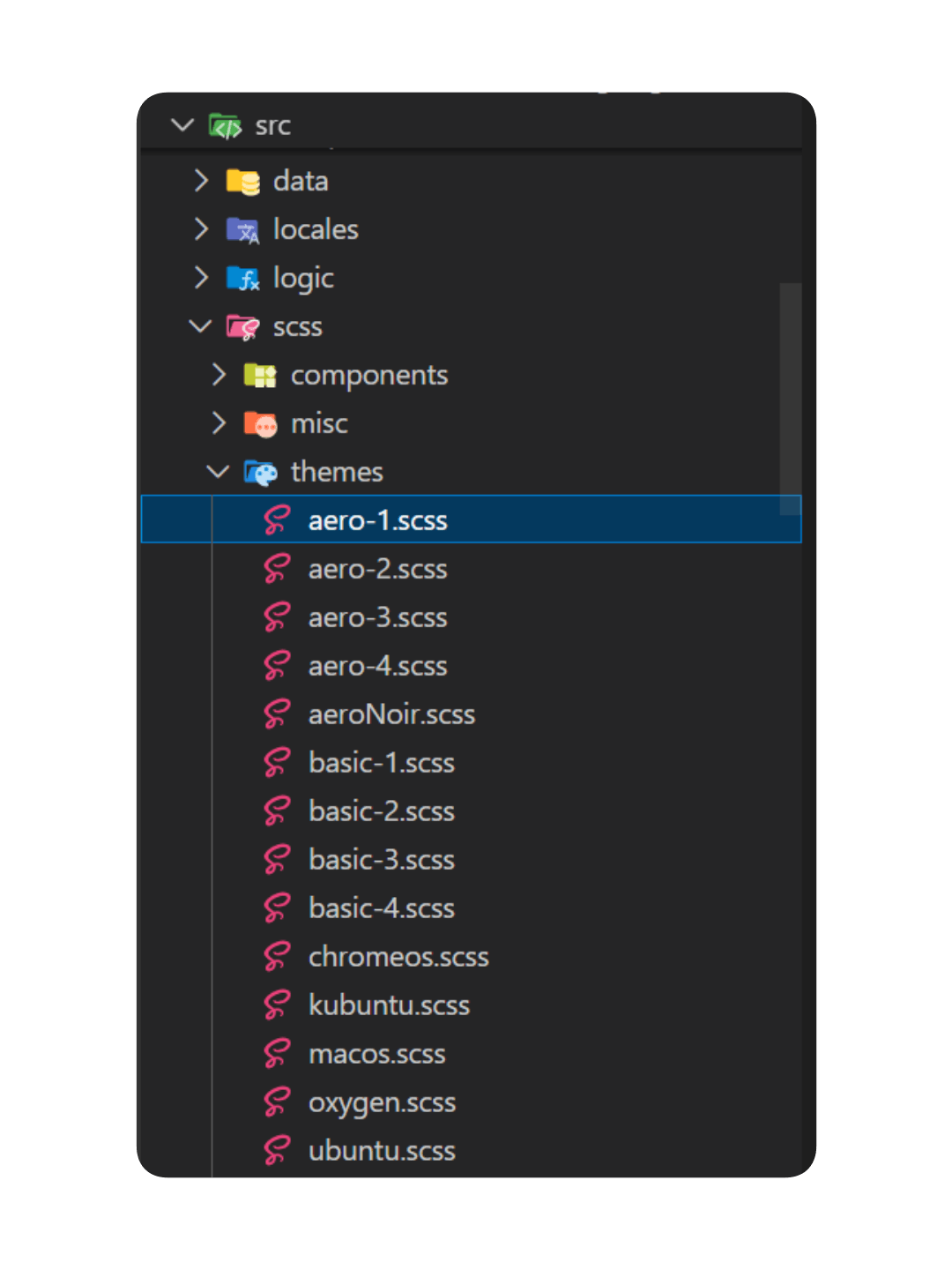 Themes are poorly squeezed into single files | 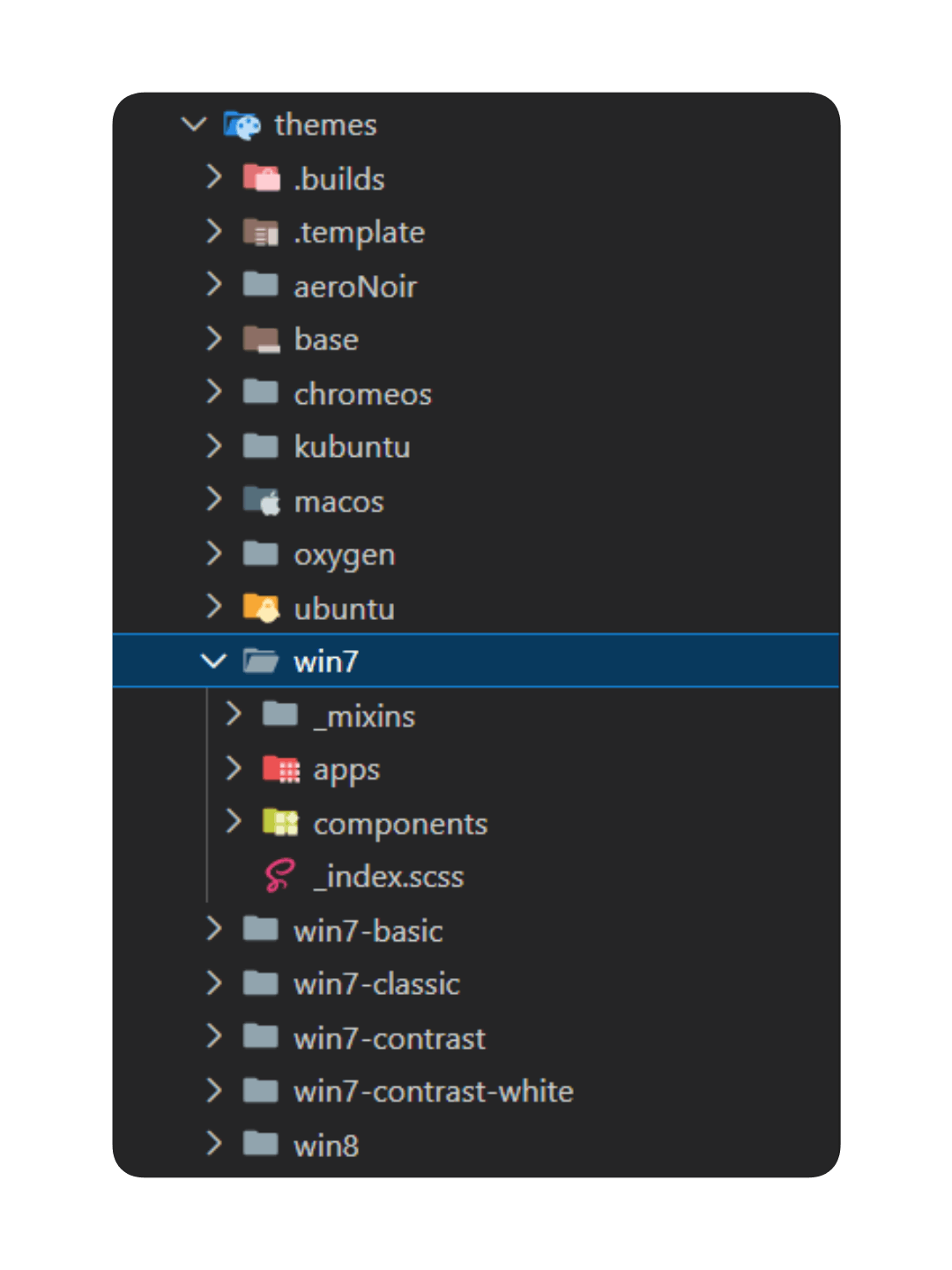 An improved theme structure, reflecting the UI structure |
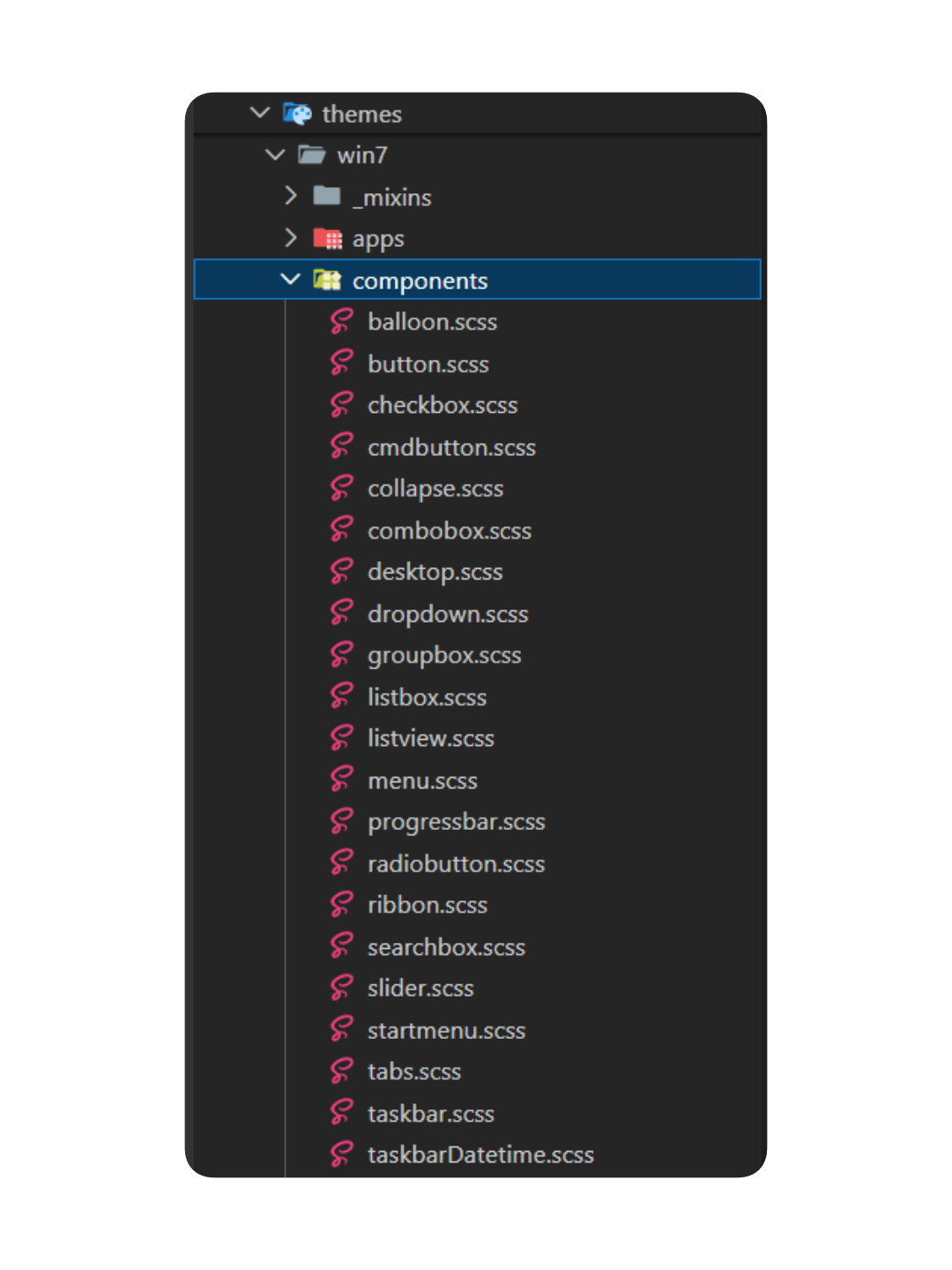 Each theme's components are modularized for better clarity and maintainability |
What's next?
I'm sorry if this update took longer than expected, and if the changes are not as significant as you hoped. Rest assured, this is just the beginning of what is to come. With the improved codebase and structure, we are now better equipped to bring you more quality updates in the coming time. We have a lot of exciting things planned, an endless journey ahead to explore and recreate the retro, and we can't wait to share them with you through future updates.
As always, we want to thank you all for your continued support and feedback, either in form of financial contributions, bug reports, or simple words of encouragement. It means the world to us and keeps us motivated to keep pushing forward. If you enjoy this update, please share it with your loved ones and help us spread the word. Together, let's keep the nostalgia alive, one update at a time!
The download links for your convenience:


